Process Monitoring & Management
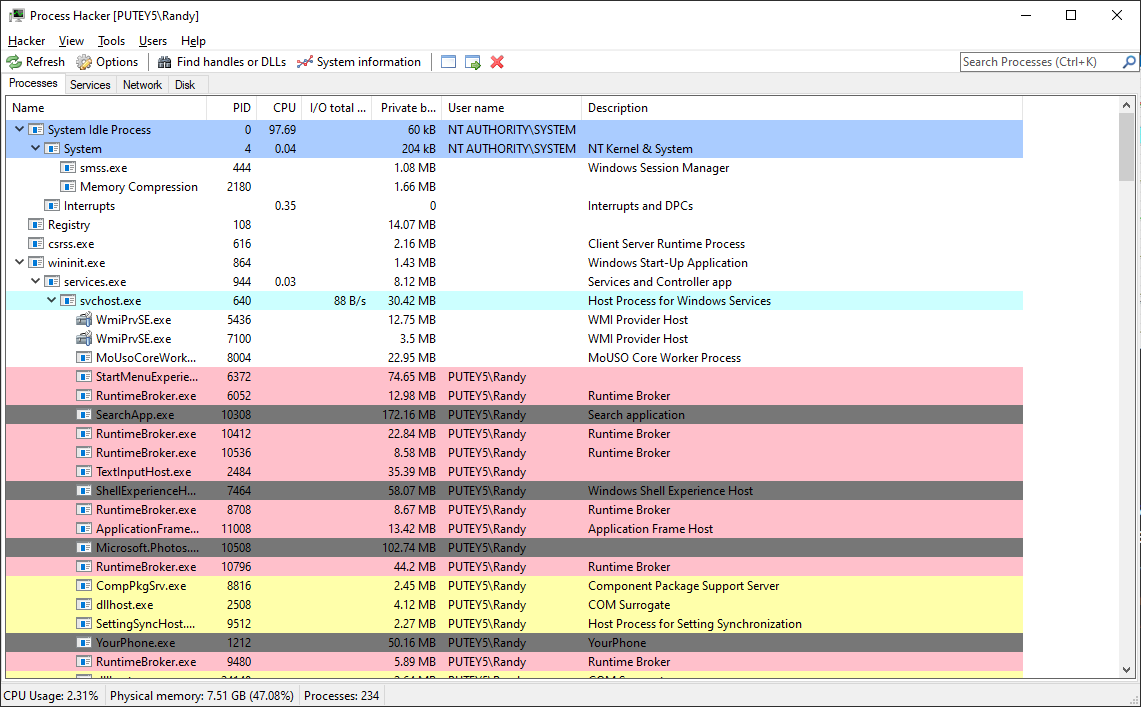
Process Hacker provides comprehensive process monitoring capabilities that allow you to view detailed information about every running process on your system. Unlike the standard Task Manager, Process Hacker displays extensive details including process hierarchy, CPU usage per thread, memory consumption, I/O statistics, and much more.
- Real-time process monitoring with live updates
- Process tree visualization showing parent-child relationships
- Advanced process termination options (suspend, resume, kill)
- Detailed process properties dialog with extensive information
- Process search and filtering capabilities
System Resource Monitoring
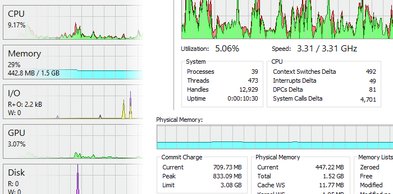
Monitor your system's resources in real-time with detailed graphs and statistics. Process Hacker provides comprehensive monitoring of CPU usage, memory consumption, disk I/O, and network activity, helping you identify performance bottlenecks and resource-intensive processes.
- Real-time CPU usage graphs with per-core breakdown
- Memory usage tracking with commit charge and physical memory
- Disk I/O statistics showing read/write operations and throughput
- Network activity monitoring with data transfer rates
- Historical data tracking and performance trends
Network Connections Monitoring
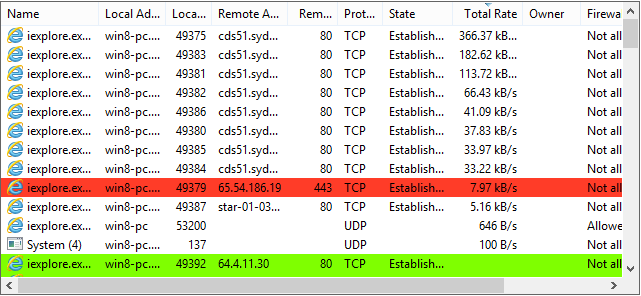
Track all network connections on your system with detailed information about each connection. Process Hacker displays TCP and UDP connections, listening ports, remote addresses, and associates each connection with the responsible process. This feature is essential for identifying unauthorized network activity and detecting malware.
- View all TCP and UDP connections in real-time
- See listening ports and associated processes
- Monitor data transfer rates and connection states
- Identify suspicious or unauthorized network activity
- View remote IP addresses and hostname resolution
Service Management
Take full control of Windows services with Process Hacker's advanced service management features. View service properties, start and stop services, change service configurations, and view service dependencies. This is essential for system administrators who need to manage Windows services effectively.
- Start, stop, pause, and resume Windows services
- View and modify service startup types
- View service dependencies and dependent services
- Edit service properties and configurations
- View service processes and performance data
Additional Powerful Features
Memory Analysis
Examine process memory, view memory regions, analyze memory usage patterns, and debug memory-related issues with detailed memory inspection tools.
Thread & Handle Viewing
View all threads and handles for each process, including thread states, priorities, and handle types. Essential for debugging and system analysis.
Kernel & User Mode Debugging
Advanced debugging capabilities for both kernel-mode and user-mode processes, with support for symbols and debugging symbols for detailed analysis.
Malware Detection
Identify suspicious processes, detect potential malware by analyzing behavior patterns, network connections, and system calls. Process Hacker helps you find and eliminate threats.
File & Registry Monitoring
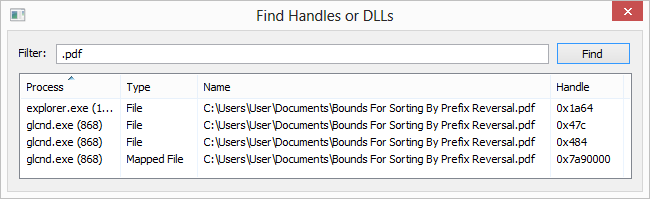
Monitor file system and registry access by processes, track file operations, and identify which processes are accessing specific files or registry keys.
Performance Optimization
Identify performance bottlenecks, optimize system resources, and improve overall system performance by analyzing and managing resource-intensive processes.
Process Hacker vs Windows Task Manager
| Feature | Process Hacker | Windows Task Manager |
|---|---|---|
| Process Monitoring | ||
| Advanced Process Details | ||
| Network Connections | ||
| Service Management | ||
| Memory Analysis | ||
| Thread & Handle Viewing | ||
| Malware Detection Tools | ||
| Debugging Capabilities |
Experience All These Features
Download Process Hacker today and take control of your system with advanced monitoring and management capabilities.
Download Now - 100% Free