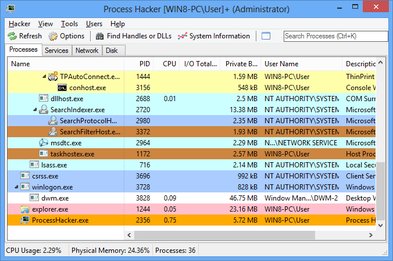
Process Hacker is a free, powerful, multi-purpose tool that helps you monitor system resources, debug software, and detect malware. Unlike the standard Windows Task Manager, Process Hacker provides deep insights into every aspect of your system's operation.
Used by system administrators, developers, and security professionals worldwide. Open source, completely free, and regularly updated with new features and security improvements.
Process Hacker isn't just another task manager. It's a comprehensive system analysis tool trusted by professionals worldwide for its depth, accuracy, and reliability.
Advanced Security Features
Detect malware, analyze suspicious processes, and monitor network connections in real-time. Process Hacker helps you identify threats that traditional antivirus software might miss.
Superior Performance
Lightweight and fast, Process Hacker provides detailed system information without slowing down your computer. Optimized for Windows 7 through Windows 11.
Active Community
Join thousands of users in an active community. Get help, share tips, and contribute to the project. Regular updates ensure you always have the latest features.
COMPREHENSIVE FEATURES
Everything You Need for System Management
Process Hacker provides advanced capabilities far beyond the standard Windows Task Manager. Whether you're troubleshooting performance issues, detecting malware, or optimizing system resources, Process Hacker has the tools you need.
Advanced Process Monitoring
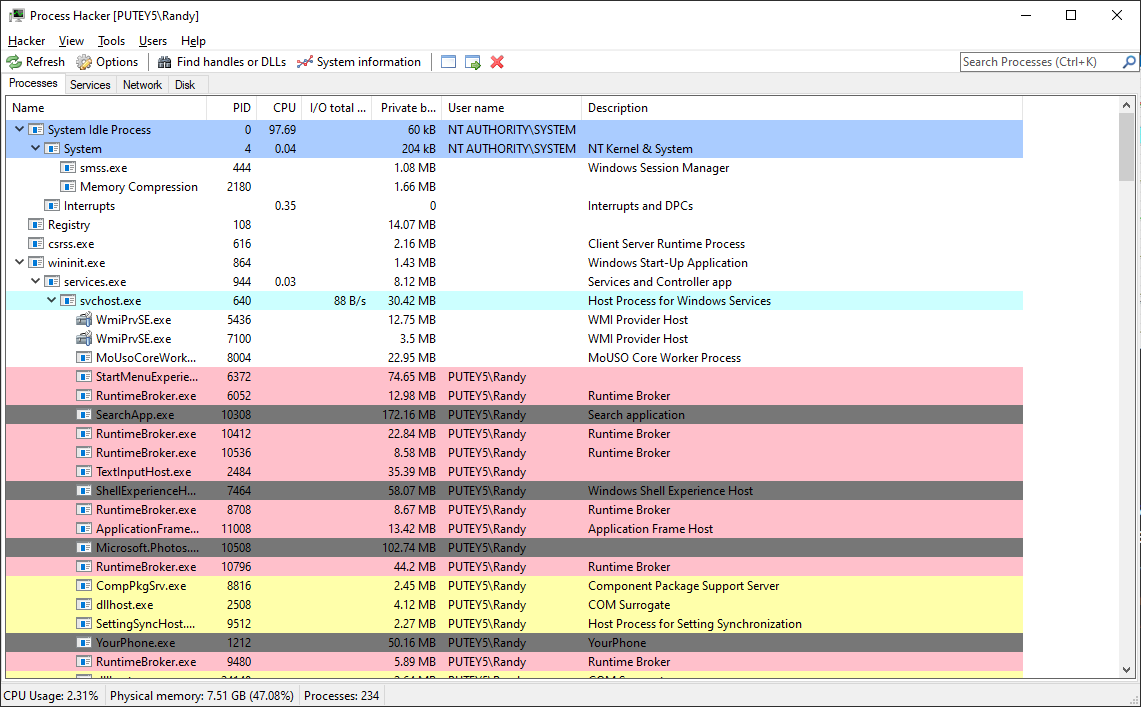
View comprehensive information about every running process including CPU usage per thread, memory consumption breakdown, I/O statistics, and process hierarchy. Real-time updates ensure you always have current system state information.
Real-time process tree visualization
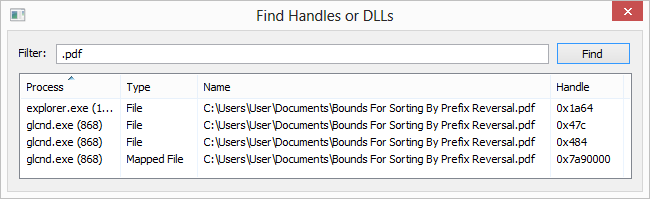
Thread and handle information
Advanced process properties dialog
Real-Time Resource Monitoring
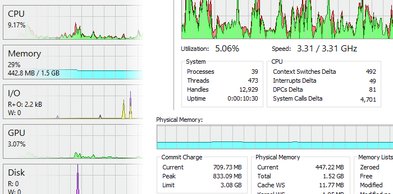
Monitor CPU, RAM, disk I/O, and network activity with detailed, real-time graphs and statistics. Identify performance bottlenecks before they impact your system's responsiveness.
Per-core CPU usage breakdown
Memory commit charge tracking
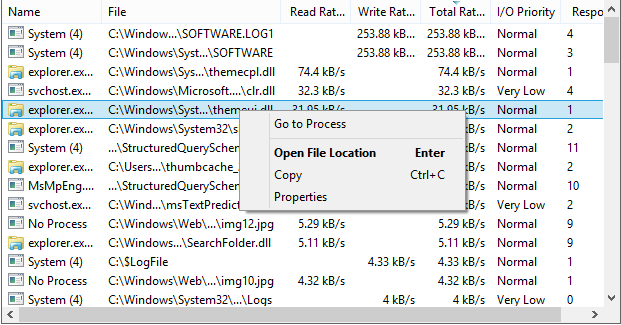
Disk I/O statistics per process
Malware Detection & Security
Identify suspicious processes and detect potential malware by analyzing digital signatures, network connections, and process behavior patterns. Essential for security professionals and system administrators.
Digital signature verification
Suspicious behavior analysis
Process location verification
Network Connection Monitoring
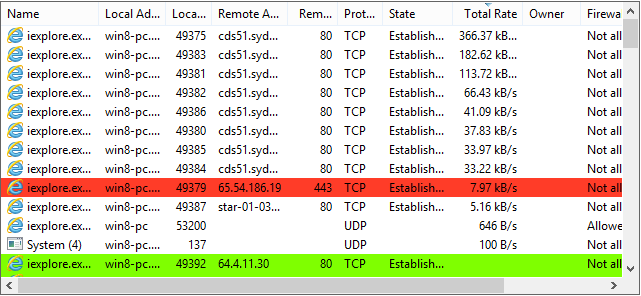
Track all TCP and UDP connections for each process. View listening ports, remote addresses, connection states, and data transfer rates to identify unauthorized network activity.
Real-time connection tracking
Hostname resolution
Bandwidth usage per process
Windows Service Management
Complete control over Windows services. Start, stop, pause services, modify startup types, view dependencies, and edit service properties - all from one intuitive interface.
Service dependency visualization
Startup type configuration
Service property editing
Deep Memory Analysis
Examine process memory regions, analyze memory usage patterns, view loaded DLLs, and inspect memory contents. Essential tools for debugging and reverse engineering.
Join millions of satisfied users who rely on Process Hacker for system monitoring and security.
★★★★★
"Process Hacker is absolutely essential for my work as a system administrator. The network monitoring feature alone has saved me countless hours troubleshooting connectivity issues. It's more powerful than Task Manager in every way."
SK
Sarah K.
IT System Administrator
★★★★★
"I discovered a cryptocurrency miner on my computer using Process Hacker's network monitoring. The detailed process information helped me identify and remove the malware immediately. This tool is a must-have for security-conscious users."
JM
John M.
Security Analyst
★★★★★
"As a software developer, Process Hacker helps me debug memory leaks and optimize application performance. The memory analysis tools are excellent, and the interface is intuitive. Best of all, it's completely free and open source."
Learn professional techniques for identifying suspicious processes and detecting malware. This comprehensive guide covers signature verification, network analysis, and behavior pattern recognition.
Detailed side-by-side comparison of Process Hacker and Windows Task Manager. Discover why Process Hacker is the preferred choice for power users and professionals.
Master the art of system performance monitoring. Learn how to identify bottlenecks, optimize resource usage, and maintain peak system performance using Process Hacker.
Join millions of users worldwide who trust Process Hacker for advanced system monitoring, security analysis, and performance optimization. Download now - it's completely free and open source.